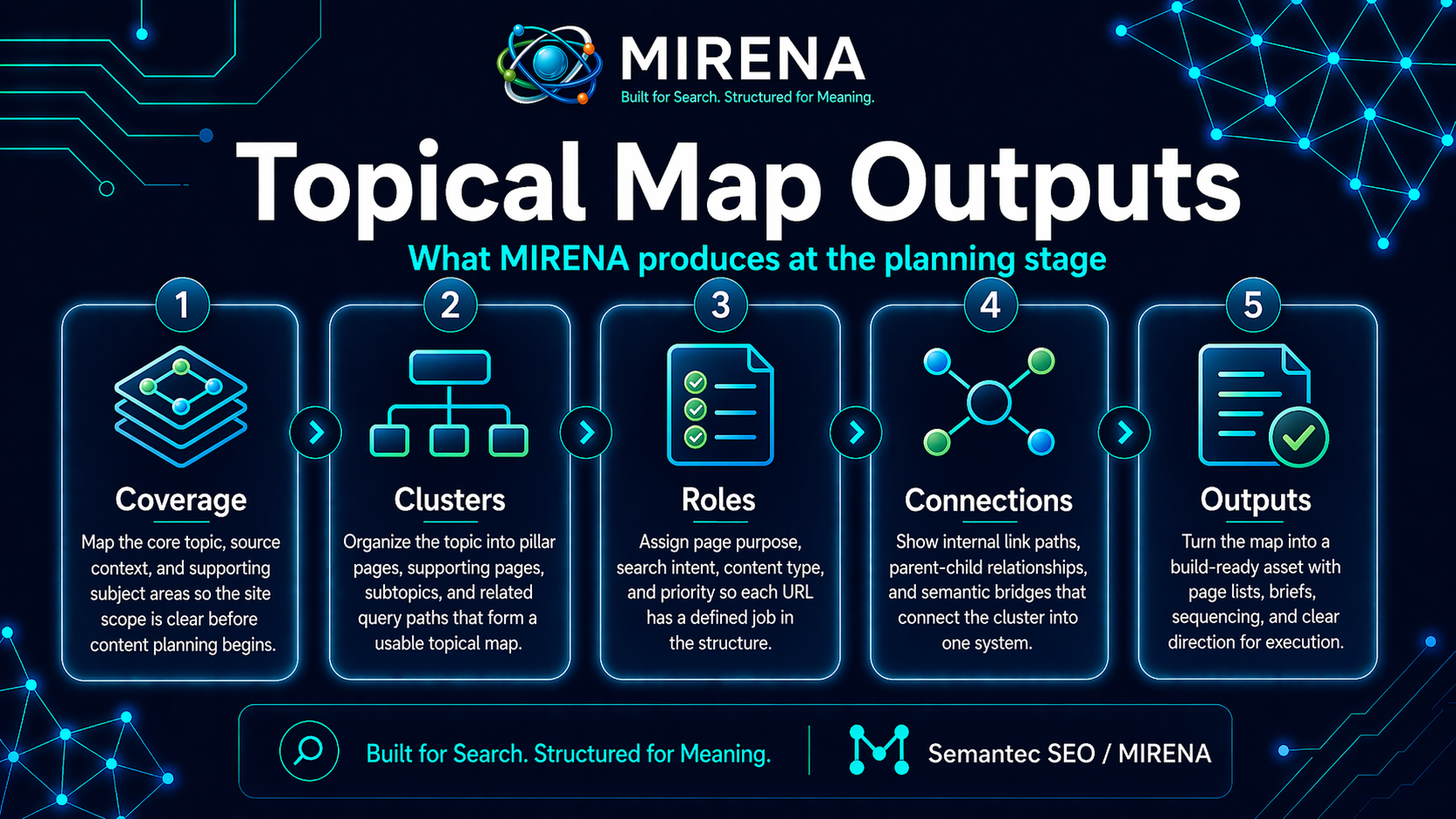
Topical map outputs are the planning deliverables that come out of the mapping stage before the brief or draft begins.
This is the package that shows how a topic should be shaped across pages, sections, and clusters.
That is the purpose of this page.
A topical map is not just a list of keywords. It is a structured planning layer that shows what belongs in the cluster, what each page should do, how pages connect, and where the weak spots still sit.
Why topical map outputs exist
A lot of SEO work gets stuck because the planning stage is too thin.
The team has a topic. The team has a page idea. The team may even have keywords.
But they still do not have a clear view of:
- what pages should exist
- what each page should cover
- what stays inside one page
- what deserves its own URL
- how the pages link together
- what is still missing
Topical map outputs solve that problem.
They turn a loose topic into a structured plan that can guide the brief, the draft, the rewrite, and the internal link pass.
For the wider planning workflow, see MIRENA Workflow, Topical Mapping, and What Is a Topical Map.
What topical map outputs include
A strong topical map output pack can include:
- topic boundaries
- primary topic or entity
- support entities
- page inventory
- page roles
- cluster roles
- content gaps
- internal link paths
- publishing order
- consolidation notes
- expansion opportunities
This gives the team a planning view of the topic before page production starts.
The main job of a topical map output
The main job is simple.
It shows how the topic should be built across the site.
That includes:
- what pages need to exist
- how those pages relate to each other
- where each page sits in the cluster
- what support pages are missing
- how the build should be sequenced
This is why topical map outputs sit upstream from Content Briefs and Drafting + Rewriting.
Core topical map outputs
1. Topic boundaries
This output defines the edge of the topic.
It helps answer questions like:
- what belongs in this cluster
- what should stay out
- what is close but still separate
- what can live on one page
- what should be split into a new page
This keeps the cluster from expanding into loose adjacent topics.
For related planning decisions, see Query Deserves Granularity and Cannibalization Prevention.
2. Primary topic and support entities
This output defines the central concept and the concepts that should sit around it.
That can include:
- the main topic
- support entities
- related concepts
- close distinctions
- supporting questions
This helps the team see the topic shape before briefing begins.
For the entity layer behind this, see Entity Map, Entity Relationships, and Contextual Entity Integration.
3. Page inventory
This output lists the pages the cluster needs.
That can include:
- hub pages
- support pages
- deeper explanation pages
- comparison pages
- templates
- examples
- use case pages
A page inventory stops the team from planning one page at a time with no cluster view.
It also helps show where the site is still thin.
4. Page roles
This output defines what each page is there to do.
A page role can be:
- hub page
- spoke page
- support page
- conversion page
- example page
- template page
- comparison page
- docs page
This makes the site easier to build and easier to route.
For more on role planning, see Cluster Roles.
5. Cluster roles
This output steps back and shows how groups of pages work together.
A cluster role can include:
- authority building
- product support
- conversion support
- education
- comparison intent
- documentation
- trust building
This helps the site stay balanced instead of turning into one long educational sprawl.
6. Coverage gaps
A strong topical map output should show what is still missing.
That can include:
- missing pages
- missing support concepts
- weak bridges between clusters
- thin supporting hubs
- missing comparison pages
- missing examples
- missing route pages from education to product
This is where planning becomes far more useful than a simple keyword export.
For that audit layer, see Topical Coverage Gaps and What Is Information Gain.
7. Internal link paths
This output shows how pages should connect across the cluster.
That can include:
- parent to child links
- child to parent links
- sibling links
- bridge links between nearby clusters
- CTA routes into product or use case pages
This gives the cluster a cleaner route structure before the pages are even drafted.
For the linking layer, see Semantic Internal Linking and Anchor Text by Intent.
8. Publishing order
This output shows what should be built first.
A good publishing order helps the team avoid building support pages before the hub exists or drafting deep pages before the cluster has a clear center.
A sequence can include:
- core commercial pages first
- primary hubs next
- support spokes after that
- templates and examples after the cluster has enough depth
- comparison pages where they support product discovery
This turns the map into a working queue instead of a static planning file.
Raw outputs vs processed outputs
This is an important distinction.
Raw topical map outputs
These are the first planning outputs.
They can include:
- topic ideas
- early page ideas
- support concepts
- early clustering
- rough topic groupings
Raw outputs help the team see the early shape of the topic.
Processed topical map outputs
These are the structured planning outputs that come after review and refinement.
They can include:
- final page inventory
- page roles
- cluster roles
- consolidation decisions
- internal link routes
- gap notes
- publishing order
Processed outputs are far more useful for production because they are closer to build ready.
For the distinction between the two, see Raw vs Processed Topical Map.
Page level outputs vs cluster level outputs
It helps to separate these two.
Page level outputs
These focus on one page.
Examples:
- page goal
- role in the cluster
- linked support pages
- support concepts
- next step CTA direction
These outputs help the brief stage.
Cluster level outputs
These focus on the wider group of pages.
Examples:
- hub and spoke structure
- page inventory
- missing support pages
- publishing order
- route paths between hubs
- bridge pages between clusters
These outputs help site planning and cluster build decisions.
How topical map outputs feed the next stage
Topical map outputs are not the end product.
They are the handoff into the next stage of the workflow.
That handoff can go in a few directions:
Into a content brief
The map tells the brief:
- what the page should cover
- what role the page has
- what support concepts belong on it
- what related pages should be linked
See Entity Led Brief and Intent Led Brief.
Into a draft or rewrite
The map helps the production stage avoid drift and weak structure.
See Rewrite Existing Content and Rewrite for Search Intent.
Into a publishing queue
The map helps the team decide what to build first and what can wait.
That is a big reason topical map outputs help teams with more than one page in flight.
What a strong topical map output pack looks like
A strong output pack should give you a clear answer to these questions:
- what is the topic cluster
- what pages belong in it
- what role does each page have
- what support pages are still missing
- what pages should link together
- what should be published first
- what should be merged
- what should be split out
If the output pack cannot answer those questions, it still needs work.
Common mistakes with topical map outputs
Mistake 1: Treating the output like a keyword list
A topical map output should shape the site and the workflow.
It should not stop at search terms and page titles.
Mistake 2: Stopping at raw clustering
Early clustering is useful, but teams need processed outputs if they want a cleaner build path.
Mistake 3: Leaving out page roles
Without clear page roles, the cluster can get repetitive fast.
Mistake 4: Ignoring internal link paths
A page inventory with no route structure leaves the site underbuilt.
Mistake 5: Skipping the gap layer
The map should not only show what exists.
It should show what is still missing.
Mistake 6: Building from the map with no brief stage
The map is a planning layer. The brief is the page plan.
Teams work faster when those two stages stay separate.
How MIRENA handles topical map outputs
MIRENA treats topical map outputs as a structured planning pack.
That means the system works through:
- topic boundaries
- page candidates
- support entities
- page roles
- cluster roles
- content gaps
- internal link paths
- publishing order
Then the map is passed into the brief stage or into a wider publishing plan.
This gives the team a clearer handoff from planning into production.
To see that process in context, go to MIRENA, Topical Mapping, and Outputs.
Quick checklist
- Does the output define the topic boundaries?
- Does it list the main topic and support concepts?
- Does it include a page inventory?
- Does it assign page roles and cluster roles?
- Does it show the coverage gaps?
- Does it include internal link paths?
- Does it set a publishing order?
If not, the topical map output pack is still incomplete.
FAQ
What are topical map outputs?
Topical map outputs are the planning deliverables produced during the mapping stage, including page inventory, page roles, cluster roles, topic boundaries, internal link paths, and publishing order.
What is the difference between raw and processed topical map outputs?
Raw outputs show the early topic shape. Processed outputs turn that shape into a clearer build plan with roles, routes, gaps, and sequencing.
Do topical map outputs include internal links?
Yes. A strong output pack should show how pages connect through parent links, sibling links, bridge links, and CTA paths.
Do topical map outputs replace the content brief?
No. The topical map output is the planning layer. The content brief turns one page from that plan into a page level build document.
When should a team use topical map outputs?
Use them before briefing and drafting, especially when planning a new cluster, expanding a hub, or fixing a site with weak structure.
Final take
Topical map outputs turn a topic into a build plan.
They show what the cluster needs, how the pages should work together, what is missing, and what should be built first.
That makes the next stages cleaner, faster, and easier to scale across the site.
Start with MIRENA Workflow, review the wider deliverables in Outputs, or move into the planning use case through Topical Mapping.