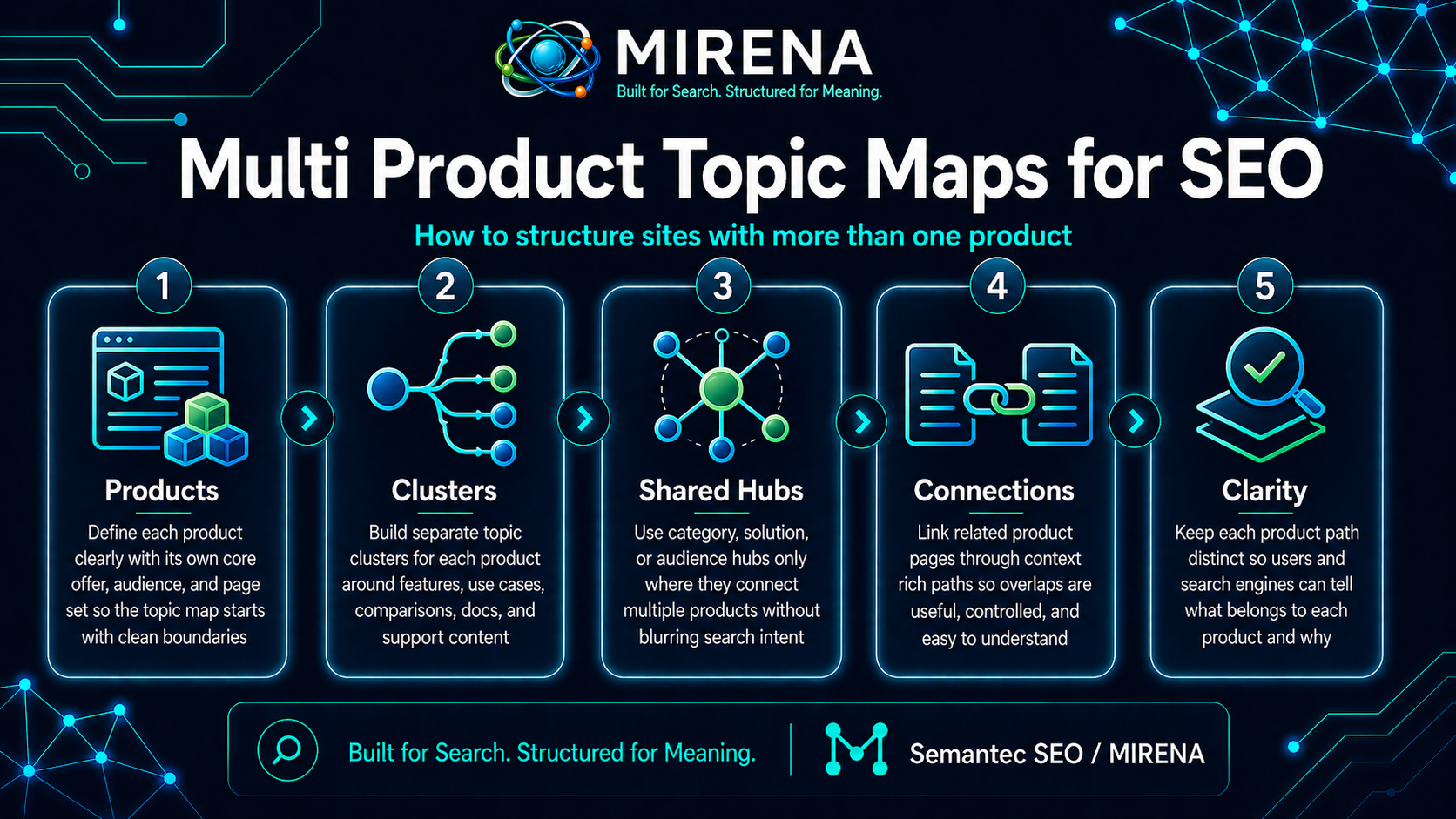
Multi product topic maps are the planning model for sites that sell, support, or explain more than one product.
That sounds simple, but the structure gets messy fast. Product A needs its own pages. Product B needs its own pages. Some topics belong to both. Some support content should sit at brand level. Some should stay tied to one product only. Without a clear map, the site starts repeating the same topics across several paths.
On Semantec SEO, this page belongs in the Topical Mapping cluster beside Topical Map Process, Cluster Roles, Query Deserves Granularity, Site Growth Model, and Content Architecture Blueprints.
The short answer
A multi product topic map is the structure plan for a site with more than one product.
Its job is to decide:
- which topics belong to the brand as a whole
- which topics belong to one product only
- which pages need shared parent hubs
- which pages should stay inside product specific clusters
- how internal links should connect brand pages, product pages, and support content
If that map is weak, product lines start colliding with each other.
Why multi product sites get tangled
Single product sites are simpler. One core offer creates one clear commercial path, then support pages build around it.
Multi product sites are different. They often run into the same problems:
- the same topic gets published for two products
- brand level pages compete with product pages
- support content sits under the wrong product
- shared features get repeated in each product cluster
- comparison pages overlap with core product pages
- internal links blur the product paths
This is where topical mapping stops being a nice planning step and becomes a structural requirement.
The core problem
The core problem is not page count. It is topic ownership.
On a multi product site, every topic needs a clear answer to one question:
Who owns this topic on the site?
That owner may be:
- the brand
- Product A
- Product B
- a shared comparison hub
- a use case cluster
- a support cluster
If there is no owner, the site publishes duplicate paths.
Brand topics vs product topics
This is the first split to get right.
Some topics belong to the whole business. These are often:
- brand story pages
- pricing and plan pages
- company level proof
- shared methodology pages
- broad category education
- cross product comparison pages
Other topics belong to one product path only. These are often:
- feature pages
- product specific use cases
- product setup pages
- product docs
- product FAQs
- product comparisons inside that line
A multi product topic map needs to draw that line early. If not, shared topics leak into every product lane.
What a strong multi product map does
A strong map gives each product a clean home without breaking the wider site.
That means it should do five things well.
1. Define the commercial spine
Each product needs a visible commercial path.
That path may include:
- product overview
- pricing
- use cases
- comparisons
- proof
- onboarding or docs
If one product has a clean path and the others do not, the site grows unevenly.
2. Set the brand level layer
Not every page should live under a product folder or product hub.
Some pages should sit above the product lines and help the whole site. These can include methodology pages, industry pages, broad education pages, and top level comparison hubs.
This is one reason Site Growth Model belongs next to this page. Product growth has to fit the whole site, not just one lane.
3. Give each product its own cluster rules
Every product should have:
- a parent hub
- child topic paths
- support pages
- link rules
- clear boundaries
This is where Cluster Roles becomes useful. Each page needs one main job inside one product path.
4. Mark the shared support topics
Some support topics should help several products at once. That does not mean copying them into each cluster.
A better move is to create shared pages that sit at the right level, then link into the product paths that need them.
5. Stop duplicate intent before publishing
Multi product sites can create overlap fast. One team writes a feature explainer for Product A. Another team writes the same topic for Product B. Then a brand page appears that tries to own both.
That is why Cannibalization Prevention and Query Deserves Granularity are close companions here.
A useful model for multi product sites
A clean multi product map often works in four layers.
Layer 1: brand level pages
These sit above the products.
They can include:
- homepage
- master pricing path
- shared proof
- brand about pages
- broad education hubs
- top level compare pages
Layer 2: product hubs
Each product gets its own parent page or hub.
That hub frames the product topic and routes readers into the right child pages.
Layer 3: product support clusters
These pages deepen the product path.
They can include:
- use cases
- comparison pages
- feature pages
- docs
- onboarding pages
- problem solution pages
Layer 4: shared support clusters
These help more than one product.
They may include:
- shared methodology
- broad education
- common workflow pages
- cluster level proof
- templates or examples
This model keeps the site from forcing every topic into a product silo.
What belongs at brand level
A page should often stay at brand level when it:
- explains a method used across products
- compares products to each other
- supports the whole buying path
- covers a broad topic not owned by one product
- helps readers choose between product lines
If the topic helps the site more as a shared parent than as a product child, keep it above the product folders.
What belongs inside one product path
A page should often stay inside one product path when it:
- only applies to that product
- supports one product feature set
- answers one product specific use case
- helps one product convert
- belongs in one product doc path
If the page would look odd attached to the other product lines, it probably should not sit at brand level.
Shared topics are where the mistakes happen
Shared topics are the hard part.
A topic can be relevant to more than one product without deserving more than one page. That is the trap.
A better decision frame is:
- one shared page if the topic is truly cross product
- one parent page plus product child pages if the topic splits by product
- one product page only if the topic is tied to one offer
This is why page ownership matters so much on multi product sites.
Multi product maps and parent child paths
Each product line needs a clean parent child model.
That means:
- a product hub should own the broad product topic
- child pages should take the narrower intents
- brand pages should not compete with product hubs
- shared support pages should not steal product intent
If the parent child model is loose, the site starts publishing sideways.
For parent page logic, Hub Page Design is the next good read.
How to map topics across several products
Use this process.
1. list all products
Start with the product set, not the keyword list.
2. list the core jobs each product solves
This helps separate product lanes by purpose, not just by naming.
3. list the shared topics
Write down the topics that touch more than one product.
4. decide topic ownership
Pick the page or cluster that should own each topic.
5. set brand pages vs product pages
Do not let this stay fuzzy. Draw the line clearly.
6. assign page roles
Mark hubs, spokes, compare pages, use case pages, proof pages, docs, and support pages.
7. set the link routes
Decide how brand pages, product pages, and shared pages connect.
8. review overlap risk
Check where the same topic could be published more than once.
A simple ownership test
Ask these questions for each topic:
- Is this about the whole business or one product?
- Does this page help readers choose a product or use a product?
- Would this topic still exist if one product line disappeared?
- Does this topic need one shared page or product specific child pages?
Those questions clear a lot of confusion.
Internal links on multi product sites
Internal links need tighter control on multi product sites than on simpler sites.
Without clear rules, links start crossing product lines in messy ways. A page for Product A may keep linking into Product B just because the phrases are close. Or a brand page may link down into one product cluster and ignore the others.
A better pattern is:
- brand pages link to the right product hubs
- product hubs link to their own child pages
- shared pages link into the product lines they support
- product pages link back to their parent path
- comparison pages route readers toward the right next step
This is why Semantic Internal Linking and Internal Link Briefing fit naturally with this page.
Multi product maps and content briefs
A multi product site needs stronger briefs because the page role is easier to blur.
A brief should say:
- which product or brand path owns the page
- which cluster the page belongs to
- what the closest sibling pages are
- what it should not try to cover
- which links must appear
- which next step should close the page
That is why this page should bridge into Intent Led Brief and Brief Template. Good structure starts before writing.
Common mistakes
Copying the same support topic into every product path
This creates internal competition.
Letting brand pages and product pages target the same intent
One of them should own the topic.
Building one product cluster well and leaving the others thin
That makes the site feel lopsided.
Treating shared topics as a tagging problem
This is a structure problem, not a label problem.
Skipping product specific boundaries
If a product path has no edge, it will drift into the others.
A better way to think about scale
A multi product site does not need more pages everywhere.
It needs the right pages in the right layer.
That can mean:
- fewer repeated support pages
- stronger product hubs
- clearer shared pages
- tighter compare paths
- cleaner link routes
- better topic ownership
That is what gives the site room to grow without turning into a maze.
Final take
Multi product topic maps are how you build structure for sites with more than one product line.
The goal is to give each product a clean path, keep brand level topics where they belong, stop overlap before it spreads, and create link routes that help the whole site stay readable.
If you are still shaping the parent structure, go next to Hub Page Design, Site Growth Model, and Query Deserves Granularity. If you want help planning the structure inside the product, start with MIRENA for Topical Mapping.
FAQ
What is a multi product topic map?
It is the structure plan for a site with more than one product, showing which topics belong to the brand, which belong to each product, and how the pages should connect.
Should every product have its own content cluster?
In most setups, yes. Each product needs a clear parent path and child page model.
What do I do with shared topics?
Give them one owner. That may be a brand page, a shared parent page, or a product page with child pages under it.
What should I read after this page?
Go next to Site Growth Model, Hub Page Design, and Content Architecture Blueprints.